Surgical Instrument Tracking Software
Deliver Complete, Sterile, On-Time Trays, and Prove Every Step
CensiTrac is surgical instrument tracking software that tracks every instrument, tray, and case cart from decontamination to the OR. It documents every sterilization cycle, helps enforce the required testing your policies require, and keeps your records audit-ready.
Secure System Architecture
Censis has achieved HITRUST certification for CensiTrac — ensuring customer data is safeguarded with industry-leading cybersecurity standards.
Know Where Every Instrument Is, and Where It's Been
With CensiTrac, every scan updates the tray's location, giving your team real-time visibility into where every tray is throughout the entire perioperative workflow. Built for hospital sterile processing departments, it replaces paper count sheets, handwritten records, and memory-dependent checks with one structured digital system.
Patient Safety
Configurable hard stops help block unsafe instruments from reaching patients. A method mismatch, an overweight load, or an item past its validated use count triggers an immediate, system-enforced stop before the tray can move to the next step.
Audit Readiness
CensiTrac aligns to AAMI ST79 and ST90, giving every sterilization cycle a unique cycle number, retaining records beyond the 7-year requirement, and tracking competencies to flag expirations. When a survey comes, the documentation is already in the system.
Instrument-Level Traceability
Case Tracking ties every container, scope, and marked instrument to the surgical case. It builds a complete, auditable history for each asset, using a case reference rather than any patient identifier.
Replace Guesswork with Proof
The workflow captures the proof as the work happens. Warnings must be acknowledged, errors must be resolved, and hard stops cannot be overridden. Every change to a load is logged: who made it, when, and the before and after values.
Put Safety Guardrails at Every Step
Most sterile-processing mistakes aren't caused by carelessness. They're a busy shift, a newer technician, or a rule that lived in someone's head. CensiTrac moves those rules into the workflow.
- Method mismatches. A heat-sensitive item can't run through steam.
- Required tests. No load runs until the first-of-day Bowie-Dick test is recorded.
- Use limits. A worn instrument is flagged before it passes its validated count.
- Missing indicators. The optional Assembly Copilot Final Check uses a configured workstation webcam to confirm indicators are in the tray before it completes.
With the rules in the workflow, every shift runs to the same standard.
Build Every Tray Correctly with Digital Count Sheets
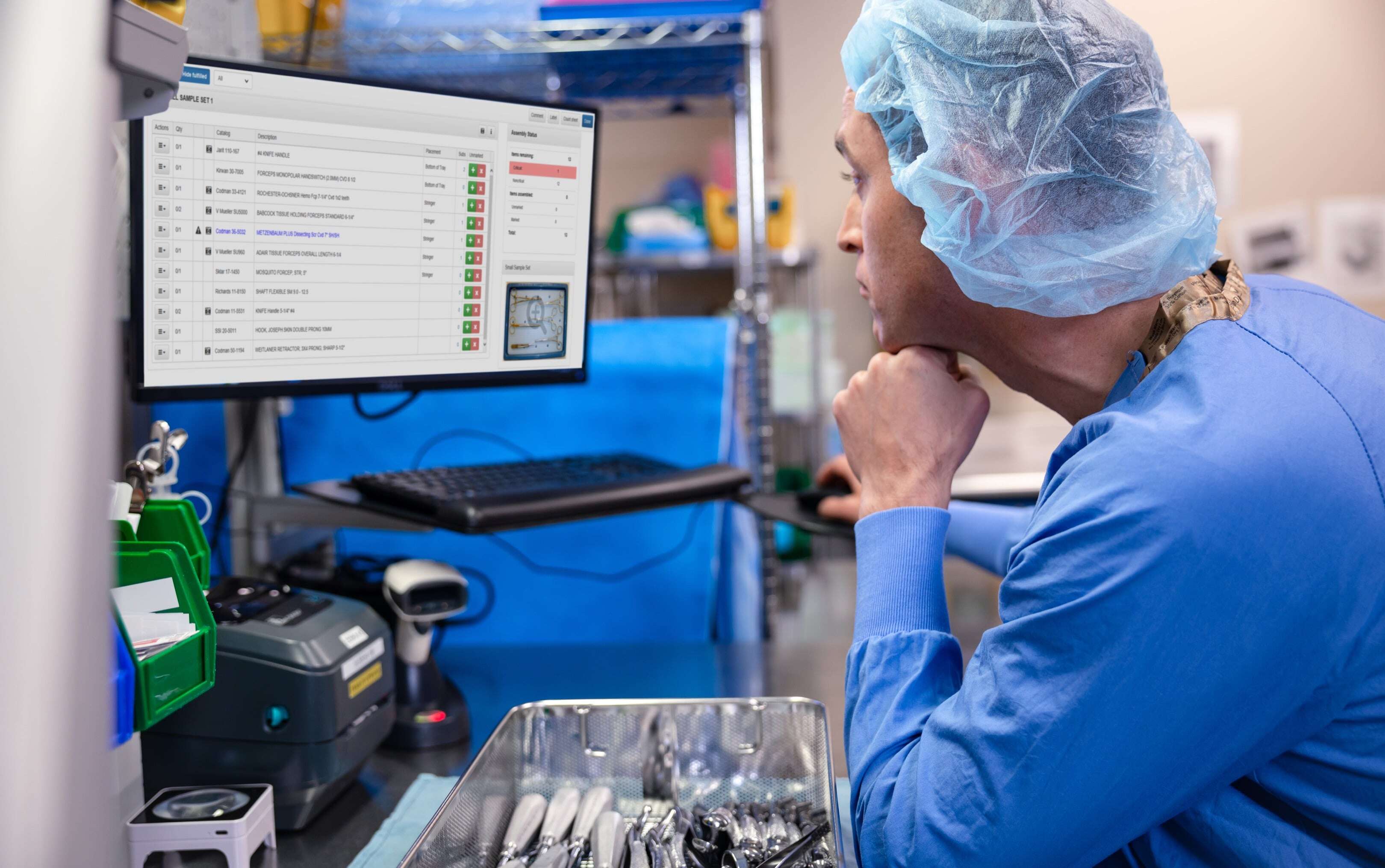
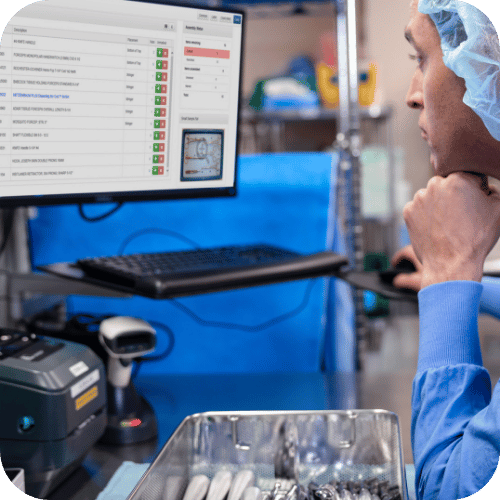
When the count sheet lives on a worn recipe card, a complete tray relies on the assembler's memory. CensiTrac's digital count sheet lists every item and guides the build.
- Critical items. A tray can't be completed without the pieces that matter.
- Photos. Help newer technicians identify unfamiliar instruments at a glance.
- Missing items. An item marked missing carries forward to the next assembler and to the OR, instead of surfacing when a surgeon calls for it mid-case.
- One-click IFUs through OneSource. The manufacturer's instructions for use open inside the assembly screen, with no separate login.
With digital count sheets guiding the build, technicians have a consistent process for assembling and documenting every tray, regardless of experience level.
Prove Every Cycle When the Surveyor Asks
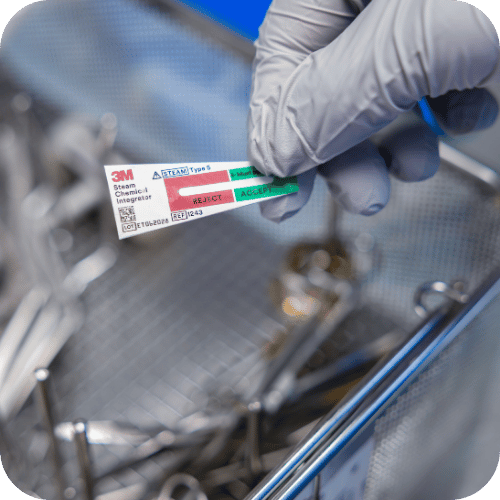
When a survey or audit hits, the sterilization record is the first thing pulled. CensiTrac builds that record as the load runs, under a unique cycle and lot number. The load list you open every morning shows any documentation left unfinished the day before.
- AAMI-mapped records. Every cycle aligns to AAMI ST79 and ST90 standards, retained past the 7-year requirement.
- Audit trail. Every change logs who, when, and the before and after values.
- Recall alerts. Intelligent recall notification alerts anyone handling a recalled asset.
- Competency tracking. Flags who's coming due, expired, or needs reobservation, before an out-of-date competency becomes a ding on your survey.
Whether it's tomorrow or months from now, the complete record is already there.

Take Real Productivity Data Upstairs to Leadership
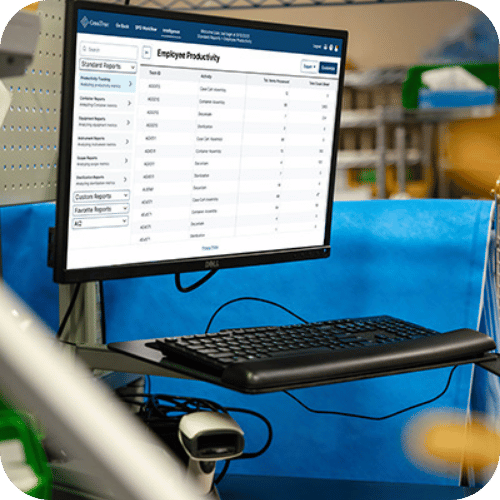
Sterile Processing staffing decisions are often based on limited visibility into the work happening behind the scenes. CensiTrac Intelligence reporting gives you the evidence to change that conversation.
- Per-tech reporting. Productivity down to the individual technician and task.
- All work counted. Cleaning, temperature checks, restocking, and phone calls included.
- Quality trends. Perioperative events roll up into coachable patterns.
- Custom reports. Standard and unlimited custom, scheduled, emailed, or pulled via API.
Walk into the budget meeting with a report that shows exactly what your team did.
Let the OR Schedule Set Your Processing Order
The OR doesn't operate on a first-in, first-out schedule—and your processing priorities shouldn't either. The tray needed for a 7 a.m. case can easily end up behind one that simply arrived first. With the OR Scheduling Interface, CensiTrac tells technicians what to process next based on the surgical schedule.
- Priority lists. The OR scheduler sets what gets processed first.
- Case-specific pick lists. Case carts built against the surgeon's preference card.
- Case Tracking. Containers and instruments tie to the case and back to the patient.
- Shared Quality Feedback. SPD and the OR raise and resolve events in one place.
With the OR scheduling interface in place, SPD can align processing priorities with the actual surgical schedule and help keep cases on track.

What Hospitals Are Saying
"The ability to go from paper to digital, it's like going from the card catalog to Google… I can manipulate the data in seconds… Audits take minutes instead of hours."

Cody Troutt
Director of Central Sterile, Williamson Medical Center
"Within sterile processing, when you have instrument issues that occur within the OR, you're always going to be at blame… CensiTrac really enabled us to… prove your innocence, and really helped to give us a voice. "

Susan Pfeifer
Director of Sterile Processing, Sanford Medical Center Fargo
"I can't imagine meeting AAMI standards without CensiTrac… It takes the worry out of the process."

Renda Palo
Director for Supply Chain, Seattle Children's Hospital

HOW IT WORKS
Track Every Instrument from Decontamination to the Patient
One loop, documented and guarded at every phase.
Step 01
Decontamination
A dirty case cart arrives from the OR. The technician checks the priority list, then scans carts and containers through sinks and washers. Handwash-only alerts surface special handling before damage occurs.
Step 02
Assembly
A clean tray is scanned and the digital count sheet guides the build: photos, critical-item flags, special instructions, substitutes, and one-click IFUs through OneSource.
Step 03
Sterilization
The technician scans the sterilizer and every item in the load. Method-mismatch alerts fire before the cycle runs, required tests are enforced, and the cycle is documented under a unique cycle number.
Step 04
Sterile Storage & Case Cart Assembly
Put-away scans record where every tray lives; labels can print the home location so even a new technician knows where it goes. Case carts are built against preference cards.
Step 05
Operating Room & Case Tracking
Trays are scanned to pre-op or the procedure room, and Case Tracking ties containers and marked instruments to the case.
Then, the cycle repeats. Instruments return to decontam and the loop begins again, building a complete, auditable history for every container and marked instrument.
Sterile Processing Is at the Center of Everything We Do
For more than 25 years, sterile processing has been our whole focus. We listen to our customers and continuously evolve our software based on your feedback, delivering ongoing enhancements that help it work better for your team every day.
25+ Years
focused on sterile processing since 1999
1,440+ Sites
run Censis to track their instruments and scopes, as of early 2026
40K+ Beds
the largest health system we serve (the smallest, a two-room surgery center)
24/7/365
support from product specialists on call for critical issues
You Won't Manage the Switch Alone
We run the implementation in phases, often reusing the computers and scanners you already have, and we stay with your team well past go-live
Implementation
- A dedicated Implementation Manager and Advisor assigned to your project.
- A phased approach: planning, configuration, validation, and go-live.
- Role-based training and an on-site go-live week.
Ongoing Support
- Product specialists who know sterile processing, not a generic call center.
- A dedicated customer success manager.
- A multi-tiered support model with 24/7/365 coverage for critical issues.
"All of the people that we've dealt with at Censis have really made a difference for us. We're a very small department, so being able to reach out and hear from a real person is very helpful."
- Sydney McWaters, Lead Central Sterile Technician at Stillwater Medical Center
Use Cases by Role
Prove Your Department Did Its Job
When an audit or an OR complaint lands on you, the records are already there to back the department up. The productivity and competency data justifies your staffing, and the guardrails protect patients without slowing your techs down.
The System Has Your Back
Photos and digital count sheets mean you don't have to know every instrument by sight, and a warning catches the slip before it reaches a patient. When something comes back on the department, the record shows what actually happened.
Keep Cases Starting on Time
Where the OR scheduling interface is in place, SPD processes what surgery needs next instead of what showed up first, so fewer cases stall on a missing tray. Quality Feedback gives both teams one place to flag and fix issues.
See Where Instrument Money Actually Goes
With marked instruments on the Advanced tier, you can see where dollars go: instruments that go missing, trays sitting unused, repairs that keep recurring. That visibility can help Finance reduce unnecessary replacement purchases and put real utilization data behind capital decisions.A Clinical System IT Can Say Yes To
Cloud-hosted SaaS keeps the ongoing load off your team, since Censis maintains the environment and no PHI or PII is transmitted, processed, or stored. CensiTrac’s HITRUST certification gives security a recognized standard to review against, with role-based access control standard and SAML single sign-on and MFA supported.
Trace It, Then Trend It
Every cycle is documented with indicator and biological results, and recalled loads are timestamped to the user. Quality-event trending turns a vague complaint into a specific pattern you can coach to.
How CensiTrac Compares to Other Surgical Instrument Tracking Systems
CensiTrac was the first surgical instrument tracking system built to track all the way down to the individual instrument, and CensiTrac remains the only instrument tracking solution that is HITRUST-certified.
| Capability | CensiTrac | Typical Tracking System | Paper-Based Tracking |
|---|---|---|---|
| Electronic count sheets | Manual | ||
| Digital sterilization records | — | ||
| Individual-instrument tracking to the patient | Limited | — | |
| Automatic productivity data | Limited | — | |
| HITRUST certification | — | — | |
| Cloud SaaS with no on-premise server required | Varies | — | |
| Quality Feedback module | — | — | |
| Vendor-agnostic device interfaces, including competitors' equipment | Limited | — | |
| Unlimited custom reports | Limited | — |
Run the numbers, then talk to a product specialist for a full breakdown built around your facility.
*Estimates are based on the numbers you enter; actual results vary by facility.
Connect the Systems You Already Run
We take a vendor-agnostic approach and will interface with third-party devices and software, including competitors' equipment, wherever the third party is willing and compatible.
EHR & OR Scheduling
Epic, Cerner, Meditech, and Picis via HL7 or flat file. Case data and preference-card needs drive priority lists and pick lists; no PHI is transferred.
Sterilizers & Washers
ASP/STERRAD, STERIS, Belimed, and Getinge. With a supported device interface, cycle data is captured automatically with paperless documentation; without one, the same documentation is completed by scanning manually.
Auto-Readers & Incubators
ASP and Solventum incubators and readers capture indicator and biological results, lot and load numbers, and pass/fail outcomes automatically.
OneSource IFU Database
One-click access to manufacturer instructions for use from inside the workflow, with no separate credentials.
Real-Time Location Systems (RTLS)
CensiTrac exchanges event and location data with subscribing RTLS systems to track containers, scopes, case carts, and DME in real time.
The Censis Portfolio
ScopeTrac Advanced for endoscope reprocessing, LoanerLink for loaner and vendor management, CensisAI² for analytics and benchmarking, CensiMark for instrument marking, and the free CensiTrac Mobile app for scanning on the move.
Frequently Asked Questions
What does a CensiTrac implementation timeline look like?
A CensiTrac implementation typically reaches go-live in approximately 18 weeks from contract, within a roughly 26-week program including post-go-live sustainment. It runs in three phases, from planning through configuration, validation, and go-live, with role-based training and an on-site go-live week. The timeline scales with scope, such as interfaces, instrument marking, and competency build-out.
How does CensiTrac integrate with our EHR and OR scheduling system?
CensiTrac interfaces with Epic, Cerner, Meditech, and Picis through HL7 or flat file, importing case data and preference-card needs to drive priority lists and case-specific pick lists. No PHI is transferred. Where the OR scheduling interface is in place and active, technicians can process what surgery needs next.
Can we switch to CensiTrac from another tracking system?
Yes, and switching is usually lower-friction than expected: we can often reuse your existing computers, scanners, and even some labels, and a dedicated Implementation Manager runs the project in phases. Departments typically switch when their current system can't do something they need, such as loaner or peel-pack tracking, more flexible reporting, or clearer operational visibility.
Will CensiTrac slow my technicians down?
CensiTrac is designed to replace manual documentation rather than add another step to the workflow. Scanning and digital documentation help technicians capture required information as they work, reducing reliance on handwritten records. Like any new system, there is a learning curve, which is why implementation includes role-based training and on-site go-live support
How does CensiTrac support Joint Commission audit readiness?
CensiTrac supports audit readiness by mapping to AAMI ST79 and ST90, assigning every sterilization cycle a unique cycle number, and retaining records beyond the 7-year requirement. Competency tracking flags expirations before they turn into findings, so the records a surveyor asks for are already in the system.
How does CensiTrac support instrument recalls?
CensiTrac's intelligent recall notification alerts any user handling a recalled asset, and recalled loads are timestamped to the user. Case Tracking ties containers and marked instruments to the surgical case, so a recall investigation can trace exactly where an affected asset has been.
Does CensiTrac handle endoscopes?
Yes. CensiTrac includes a scope processing module that documents endoscope reprocessing. Fully guided workflows, with step-by-step cleaning, leak and residue testing, golden-hour timers, and AER interfaces, live in ScopeTrac Advanced, which fully integrates with CensiTrac. Endoscopy is the number-one audit hot spot, so documented proof matters here most.
How does CensiTrac measure sterile processing technician productivity?
CensiTrac reports productivity down to the individual technician and task, and counts non-tray work such as cleaning, temperature checks, restocking, and phone calls. CensiTrac Intelligence includes a library of standard reports plus unlimited custom reports, which can be printed, emailed, scheduled for recurring delivery, or accessed through an API. Adding CensisAI², an optional add-on, lets leaders compare trends in productivity technician to technician, shift to shift, and site to site.
Do we need an on-premise server to run CensiTrac?
No. CensiTrac is software-as-a-service that runs cloud-hosted, where most customers are, or on an on-premise server if you prefer. Both options cost the same and both support single sign-on. We maintain the cloud environments; your local IT maintains an on-premise server.
Is patient data (PHI) stored in CensiTrac?
No. CensiTrac is designed and operated so that no protected health information (PHI) or personally identifiable information (PII) is transmitted, processed, or stored. Scheduling interfaces pass case references and item data, never patient-identifiable information, and role-based access control is standard with SAML single sign-on and MFA supported.
Is there a set price for CensiTrac?
No, quotes are facility-specific. Pricing is structured per module (CensiTrac Base or Advanced, ScopeTrac Advanced, CensisAI², LoanerLink, and interfaces) plus the number of ORs and servers, on 1-, 3-, or 5-year terms. Talk to a product specialist for a quote scoped to your facility.
Additional Resources
Surgical Instrument Tracking: The Key to Patient Safety and Efficiency
What instrument-level tracking changes for patient safety and department throughput, from decontam to the OR.
Read Article →10 Critical Questions to Ask About Your Instrument Tracking System

A vendor-evaluation checklist you can bring into your next system review.
Read Article →
St. Luke's University Health Network Case Study
How St. Luke's University Health Network processed 5,000 more trays per month with the same staff.
Read Case Study →Talk to a Product Specialist
Keep trays complete, cases on schedule, and records audit-ready with CensiTrac. Talk to our team to learn more.