censitrac-logocensitrac-logo-1

Loaner Tray Management System


Get Ahead of Every Loaner Tray and Hold Vendors to Your Policy

LoanerLink is loaner instrument tray management software that connects your facility and your vendors from the moment a case is scheduled through delivery, reprocessing, and pickup. Sterile processing and the OR see which orders put a scheduled case at risk, and each vendor's performance is on record.


LoanerLink Header Image_2026
HiTRUST Banner-1

LoanerLink is HITRUST Certified

1,440+ sites run Censis solutions

25+ years built for sterile processing

Manage Loaner Trays From Scheduled Case to Vendor Pickup


LoanerLink is a cloud-based loaner tray management system that gives sterile processing, the OR, and your vendor reps one shared view of every loaner order. Automatic email notifications help reduce manual follow-up with vendors, so your team's time goes back to getting surgical cases ready.

Plan for What's Coming

Vendor reps confirm each order and list the loaner trays they're bringing. You see the next seven days of deliveries, helping your team plan ahead for upcoming loaner volume.

Apply Your Policy to Every Order

You set delivery lead times, pickup windows, and required documents. LoanerLink applies them to each order and flags the ones at risk.

Keep Vendors Informed and Accountable

Automatic emails keep reps up to date from new order to pickup. Deliveries, pickups, and quality events roll into a 5-star rating system for each vendor.

Coordinate Loaner Orders in One Place


Vendor tray management has a lot of moving parts. A procedure-specific loaner set can run from 3 to 25 trays per case, and larger surgical facilities receive hundreds of loaner sets a week. LoanerLink creates each order from your EMR, emails the rep, and keeps both sides updated on confirmations, case changes, deliveries, and pickups.

FORWARD VISIBILITY
AT-RISK DELIVERIES
DELIVERY AND PICKUP POLICY
VENDOR PERFORMANCE AND REPORTING
LOANER DOCUMENTATION

Staff for Next Week's Loaner Trays Before They Arrive


LoanerLink creates an order from each scheduled case. Your dashboard shows the loaner trays due each day and updates when a case changes.

  • Seven-day view. Loaner trays due each day, by count and order status.
  • Three ways to create orders. From your EMR, by hand, or by file import.
  • Case changes. A moved or canceled case re-notifies the vendor and recalculates dates.
  • Click-through detail. Each day opens to the orders and reps behind it.

Your team staffs the vendor station for the loaner volume on its way.
Staff for Next Weeks Loaners

Catch At-Risk Loaner Deliveries While There's Time to Act


A loaner tray that arrives at the last minute can't simply be processed faster, because its IFU and sterilization method set the timeline. LoanerLink flags the orders that put a scheduled case at risk, color-coded by how urgent they are.
  • Color-coded by urgency. Red for unconfirmed and late, orange for confirmed but late, yellow for unconfirmed and still on time.
  • Straight to the order. Each flag opens to the order and the rep behind it.
  • Automatic alerts. Late-delivery emails reach your team and the rep automatically.

Your team follows up first on the orders that matter most to the schedule.

Catch At-Risk Loaner Deliveries

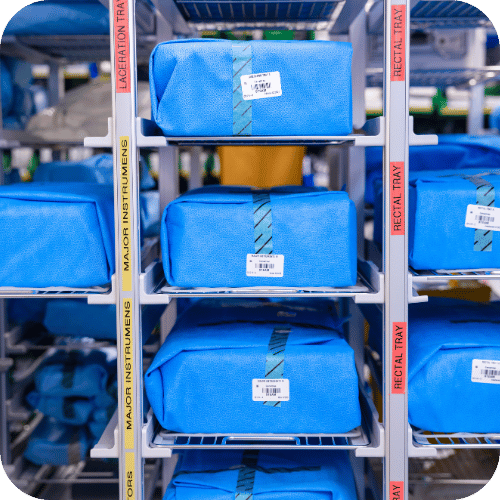
Put Your Loaner Tray Delivery and Pickup Policy Into Practice


LoanerLink applies your delivery lead times, document requirements, and pickup windows to each order, then follows up with vendors until their trays are collected.
  • Delivery lead times. Most facilities start from HSPA's recommended minimum of 48 hours before surgery, or 72 hours for a first-time set.
  • Required documents. Vendors attach IFUs and inventory lists before marking trays delivered.
  • Pickup reminders. Overdue vendors get repeat emails at the interval you set.
  • Open until collected. An order closes only when pickup is verified.

Your team spends less time chasing vendors, and every order follows the same policy.
Put Your Loaner Tray Delivery and Pickup Policy Into Practice

Back Every Vendor Conversation With Performance Data


LoanerLink turns every delivery, pickup, and quality event into vendor performance data you can bring to the rep, the surgeon, or your leadership to address recurring issues.
  • Score vendors. 5-star rating system against your thresholds over the period you choose.
  • Share scores with reps. Share performance data with reps to provide visibility into areas of strong performance and opportunities for improvement.
  • Track quality events. Log a late delivery, bioburden, or damage right on the order.
  • Export ready-made reports. Vendor Compliance and Case Details, to Excel or CSV.

Vendor conversations start from the record, and reps know exactly where to improve.

Back Every Vendor Conversation With Performance Data

Have Your Loaner Tray Records Ready When Surveyors Ask


LoanerLink documents every order, delivery, pickup, attached IFU, and quality event, which supports AAMI and Joint Commission expectations for loaner documentation and traceability.
  • Order history. Trays, IFUs, quality events, and case changes in one place.
  • IFUs on file. Required before a vendor can mark trays delivered.
  • Status at every step. Each order documented from Unconfirmed to Completed.
  • Reprocessing history. With CensiTrac, each loaner tray is scanned through decontam, assembly, and sterilization.

When a surveyor asks about a loaner set, the record is already there.

Have Your Loaner Tray Records Ready When Surveyors Ask

Michael E. DeBakey Medical Center

Loaner sets were routinely arriving less than 48 hours before surgery. A team of surgeons, OR staff, and medical supply technicians used LoanerLink to build accountability into each step, added midday huddles on the next day's cases, and began weekly and monthly reporting on 48-hour compliance. The project won the Trailblazer Award at CtUC 2023.

Read the Full Story → 

2309733_BlogGraphic(RevolutionizingLoanerProcess)_560x315_071724

LoanerLink and CensiTrac: One Connected Workflow for Loaner Tray Management


LoanerLink manages the vendor side of every loaner order, and CensiTrac handles vendor tray tracking inside your department, from check-in through reprocessing. Connected, they share order details and tray status, giving your team and the rep visibility into each order's progress from scheduled case to vendor pickup.


PHASE 1

Case Scheduled

A case that needs vendor trays is scheduled in your EMR. LoanerLink creates the loaner order and emails the vendor rep.

PHASE 2

Vendor Confirms

The rep follows the email link into LoanerLink, confirms the order, lists their trays, and attaches IFUs and inventory lists where you require them.

PHASE 3

Trays Delivered

The rep marks each tray delivered in LoanerLink. In CensiTrac, your tech opens the order, reviews the prefilled tray details, and checks the trays in.

PHASE 4

Trays Reprocessed

Your team scans each loaner tray in CensiTrac through decontam, assembly, and sterilization. Each scan updates the connected LoanerLink order.

PHASE 5

Ready for Pickup

After the case, the pickup clock starts. Email reminders repeat at the interval you set until the vendor collects the trays.

PHASE 6

Record Updated

Deliveries, pickups, and quality events update the vendor's rating, so patterns of late deliveries, late pickups, and quality issues are on record.

get-started-graphic-1-1

 See Loanerlink in Your Workflow

Request your demo and see how it fits your department from decon to the OR.

Use Cases by Role


Protect the Schedule With One Vendor Process

When a case is delayed or canceled because vendor trays weren't ready, you're the one explaining why. LoanerLink shows which orders put upcoming cases at risk, applies one delivery and pickup policy to every vendor, and documents how each one performs. If you oversee more than one hospital, one login can show every site. You see problems early and bring data to every vendor and surgeon conversation.

Staff for the Vendor Trays That Are Actually Coming

LoanerLink’s seven-day view provides visibility into upcoming loaner tray volume, required IFUs are available with the order, and automated reminders help manage overdue pickups. With more visibility into what’s coming, SPD leaders can better plan for upcoming workload.

Start Every Loaner Tray With What You Need

Loaner trays that show up unannounced or without an IFU stall your work. LoanerLink shows which trays are coming and when. Where your facility requires it, vendors attach the IFU and inventory list before check-in, giving your team access to the required documentation. With CensiTrac, tray details are already filled in, so you can move straight to decontam.

Confirm Orders Straight From the Email

When requests come from a surgeon at the scrub sink, a nurse's text, or a scheduler's email, it's hard to know every case is covered. LoanerLink emails you each order with a link that opens in your browser, on your phone or computer. From there, you confirm the order and list your trays. Every order your company has at that facility is in one place. Couriers delivering for you use the facility's courier login.

Choose the LoanerLink Setup That Fits Your Facility


LoanerLink works best with CensiTrac, which adds the full workflow above. It also runs on its own, with orders from your EMR, by hand, or by file import.

Capability LoanerLink + CensiTrac + CensiTrac + OR Scheduler
Automatic vendor order emails
Upcoming, at-risk, and overdue dashboards
Your delivery and pickup policy on every order
Vendor ratings and quality events
Required IFUs and inventory lists
Delivery marked by the rep, with an optional receipt check by your team
Orders created from your EMR
Consignment trays excluded from delivery and pickup
Password policies, SSO, and account lockout
Tray check-in in CensiTrac, prefilled from the vendor's entry —
Tray status through reprocessing —
Vendor IFUs and inventory lists visible in CensiTrac —

Frequently Asked Questions


What is a loaner instrument tray management system?

A loaner instrument tray management system, also called vendor tray tracking software, coordinates the surgical trays vendors lend to a hospital, from ordering and vendor communication through delivery, reprocessing, and pickup. LoanerLink creates orders from scheduled cases, automatically emails vendor reps, and applies a facility's delivery lead times and pickup windows to every order. It also documents each vendor's performance, giving the facility a record to address recurring late deliveries and pickups.

Is LoanerLink the right fit for our facility?

LoanerLink is a strong fit for hospitals and health systems where late vendor deliveries, uncollected trays, or missing IFUs keep coming up. It works best when there's a loaner policy to apply and someone to own daily oversight. LoanerLink can be especially valuable for facilities managing high volumes of vendor-supplied instrumentation. Orthopedic, spine, neuro, and trauma programs usually carry the heaviest vendor loads.

How does LoanerLink know a case needs loaner trays?

LoanerLink reads cases from your EMR that carry your facility's vendor marker, such as a vendor field, a reference code, or a note in the case comments. Routine cases without that marker never appear. Orders can also be created by hand or imported from a scheduling file, and all three routes send the same vendor notifications.

Does LoanerLink help with AAMI and Joint Commission requirements for loaner trays?

Yes. LoanerLink supports AAMI and Joint Commission expectations for loaner documentation, record retention, and traceability by documenting every order, delivery, pickup, attached IFU, and quality event. Compliance remains the facility's responsibility.

Can LoanerLink be used without CensiTrac?

Yes. LoanerLink runs as a standalone application with the full vendor cycle: orders, notifications, dashboards, delivery, pickup, and vendor ratings. LoanerLink works best with CensiTrac, which adds on-site scanning. With CensiTrac, loaner tray check-in fills in from the vendor's entry, and each tray's reprocessing status updates the LoanerLink order in real time.

Which EMR and OR scheduling systems does LoanerLink integrate with?

LoanerLink works alongside your existing EMR or OR scheduling system, as long as it can export a flat file over secure file transfer (SFTP). Cerner, Epic, and Meditech are examples of EMR platforms LoanerLink works with. The interface is recommended but optional, and the EMR interface capability is included with LoanerLink.

Will our vendor reps actually use LoanerLink?

Vendor reps use LoanerLink when your facility makes it the required way to deliver loaner trays. We train reps remotely during implementation and handle registration outreach. Where your facility requires IFUs and inventory lists, reps can't mark trays delivered without completing the order in LoanerLink. Reps can see their own out of 5-stars, providing visibility into their performance against the facility’s expectations. A LoanerLink administrator on your staff follows up on orders reps haven't confirmed.

How long does LoanerLink take to implement, and what's involved?

A standard LoanerLink implementation takes about 12 weeks. Your facility supplies tray, surgeon, and vendor rosters and names a LoanerLink administrator. We map your scheduling and vendor workflow, load your trays, surgeons, and procedures, configure your policy, set up the EMR interface, and train your vendor reps remotely. The project ends with a week of on-site training for your team and one month of post-implementation support.

Who manages LoanerLink day to day after go-live?

A LoanerLink administrator from your own staff reviews the system each day. Because LoanerLink handles vendor communication automatically, the review usually fits into an existing role. The administrator checks orders pending approval, follows up with reps on any case in the next 72 hours they haven't confirmed, and keeps vendor and user accounts current. Facilities that assign this owner from the start keep vendors participating and their loaner data accurate.

Does LoanerLink store patient data?

No. LoanerLink uses only the case fields it needs from cases flagged for loaner trays, such as case date, surgeon, room, and procedure. It doesn't pull or store protected health information (PHI).

What does LoanerLink cost?

We quote LoanerLink for each facility. The subscription includes a customer success manager, technical support, and the EMR or OR scheduler interface capability. Implementation, training, and the interface build are priced as separate services, so your quote reflects the setup your facility needs. Talk to a product specialist to get a quote for your facility.

Additional Resources

The-Challenges-of-Loaner-Instruments-Blog-1

The Challenges of Using Loaner Instruments

Where loaner instruments strain sterile processing and the OR schedule, including the top four challenges that come with loaner instrumentation.

Read Article →
loaner-instrument-tray-management

Streamlining Loaner Instrument Tray Management for Enhanced Efficiency

The obstacles facilities hit with vendor trays, from tracking gaps to sterilization delays, and five best practices for improving the process.

Read Article →

LoanerLink Ebook Cover

Navigating Your Way to Successful Loaner Set Management

Our eBook on the loaner set journey, from delivery and reprocessing to the detours that slow it down.

Download eBook →

Talk to a Product Specialist

Know which vendor trays are coming, catch at-risk deliveries early, and keep a record of how every vendor performs. Talk to our team to schedule a LoanerLink demo.